ClearSpend Extension
Stop paying for SaaS seats nobody logs into
Companies spend thousands of dollars on software that employees rarely use. ClearSpend’s browser extension helps you understand which tools your team actually logs into so you can eliminate wasted SaaS spend.

Capabilities
What ClearSpend extension can do
Instant upload
Upload documents directly from any website
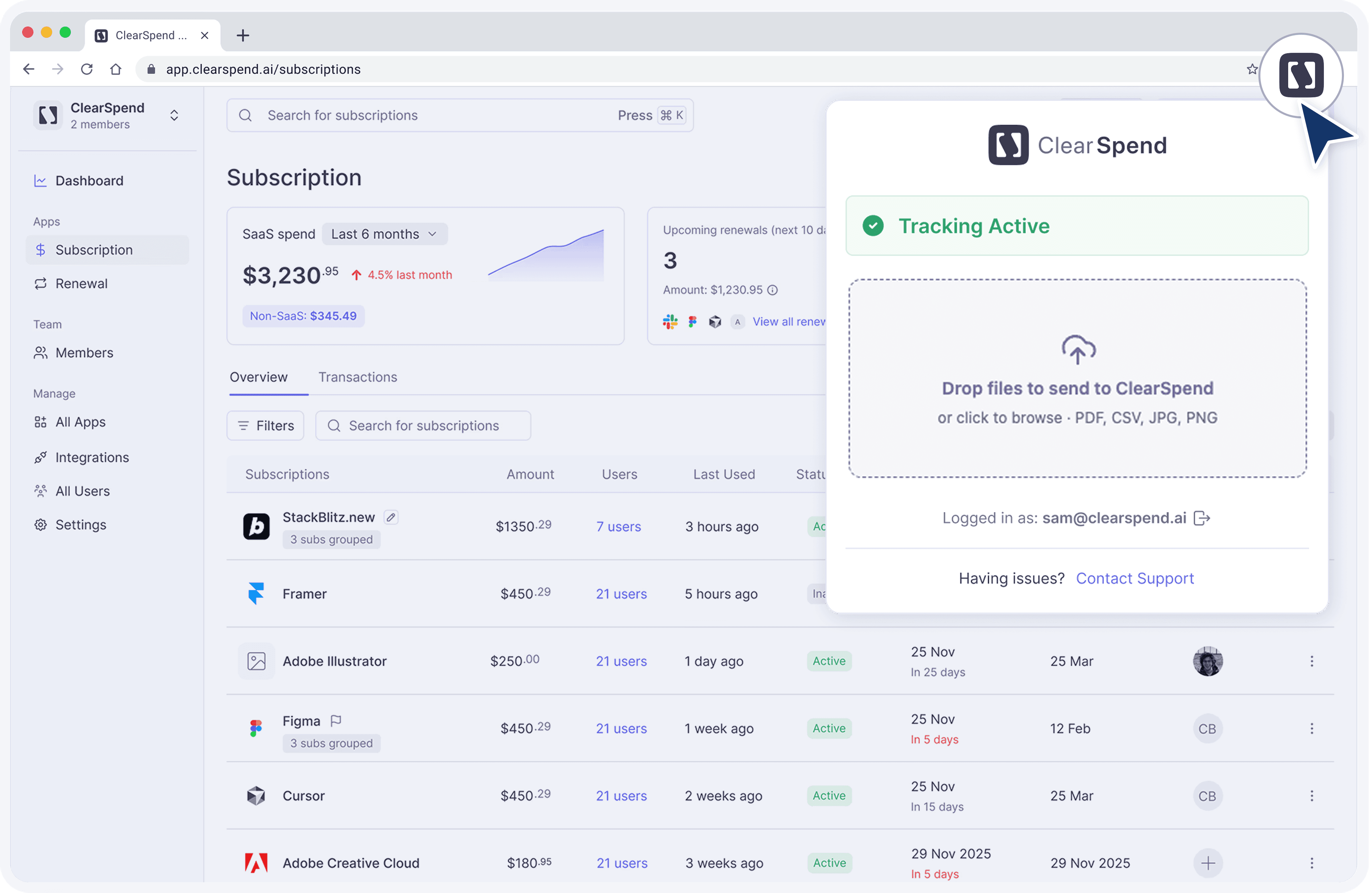
Drag and drop invoices, receipts, and statements straight into ClearSpend from your browser and automatically connect them to the right subscriptions.
Usage Insight
See what your team actually uses
Track software adoption across your organization and identify inactive apps, unused licenses, and overlapping tools before the next renewal cycle.
One click capture
Auto invoice capture
When you download a Invoice, receipt or statements PDF from a vendor portal, a small banner offers to send it straight to ClearSpend.
Capabilities
What ClearSpend extension can do
Instant upload
Upload documents directly from any website
Drag and drop invoices, receipts, and statements straight into ClearSpend from your browser and automatically connect them to the right subscriptions.
Usage Insight
See what your team actually uses
Track software adoption across your organization and identify inactive apps, unused licenses, and overlapping tools before the next renewal cycle.
One click capture
Auto invoice capture
When you download a Invoice, receipt or statements PDF from a vendor portal, a small banner offers to send it straight to ClearSpend.
Capabilities
What ClearSpend extension can do
Instant upload
Upload documents directly from any website
Drag and drop invoices, receipts, and statements straight into ClearSpend from your browser and automatically connect them to the right subscriptions.
Usage Insight
See what your team actually uses
Track software adoption across your organization and identify inactive apps, unused licenses, and overlapping tools before the next renewal cycle.
One click capture
Auto invoice capture
When you download a Invoice, receipt or statements PDF from a vendor portal, a small banner offers to send it straight to ClearSpend.
Connect
See how to install ClearSpend extension
1
Install Chrome extension
Visit Chrome webstore → Search for ClearSpend → Install to Chrome
OR
Download link: Download link
2
Login to ClearSpend
Login or Create a new account to get started.
3
Start uploading or let extension detect your Saas
Upload billing documents directly through the extension or let extension track your usage automatically.
Connect
See how to install ClearSpend extension
1
Install Chrome extension
Visit Chrome webstore → Search for ClearSpend → Install to Chrome
OR
Download link: Download link
2
Login to ClearSpend
Login or Create a new account to get started.
3
Start uploading or let extension detect your Saas
Upload billing documents directly through the extension or let extension track your usage automatically.
Connect
See how to install ClearSpend extension
1
Install Chrome extension
Visit Chrome webstore → Search for ClearSpend → Install to Chrome
OR
Download link: Download link
2
Login to ClearSpend
Login or Create a new account to get started.
3
Start uploading or let extension detect your Saas
Upload billing documents directly through the extension or let extension track your usage automatically.

See every subscription your org is paying for
7-day free trial. No credit card required.
See every subscription your org is paying for
7-day free trial. No credit card required.
See every subscription your org is paying for
7-day free trial. No credit card required.
FAQs
Common questions
What's the difference between Overview and Transactions?
How do subscriptions get into ClearSpend?
Can I group duplicate vendor rows?
Does export include my filters?
How do I find inactive subscriptions?
Can I assign an owner?
FAQs
Common questions
What's the difference between Overview and Transactions?
How do subscriptions get into ClearSpend?
Can I group duplicate vendor rows?
Does export include my filters?
How do I find inactive subscriptions?
Can I assign an owner?
FAQs